
One issue, end to end
Follow a single issue from the passenger seat to the gate review.
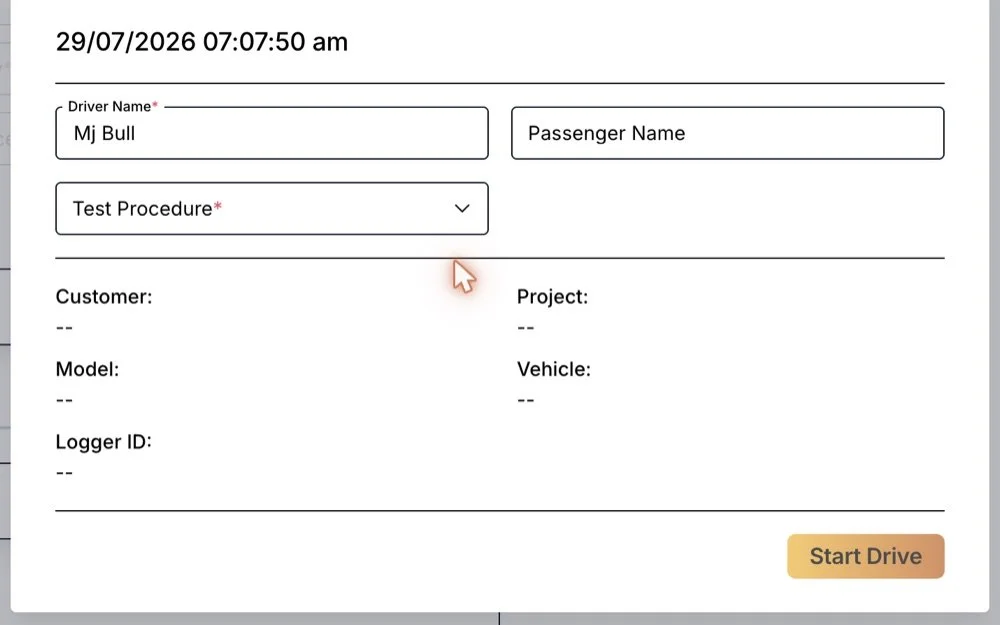
The drive starts with who is in the car and what they are testing.
The session records the driver, the passenger and the test procedure before the car moves, so every issue raised on the drive already knows its context.
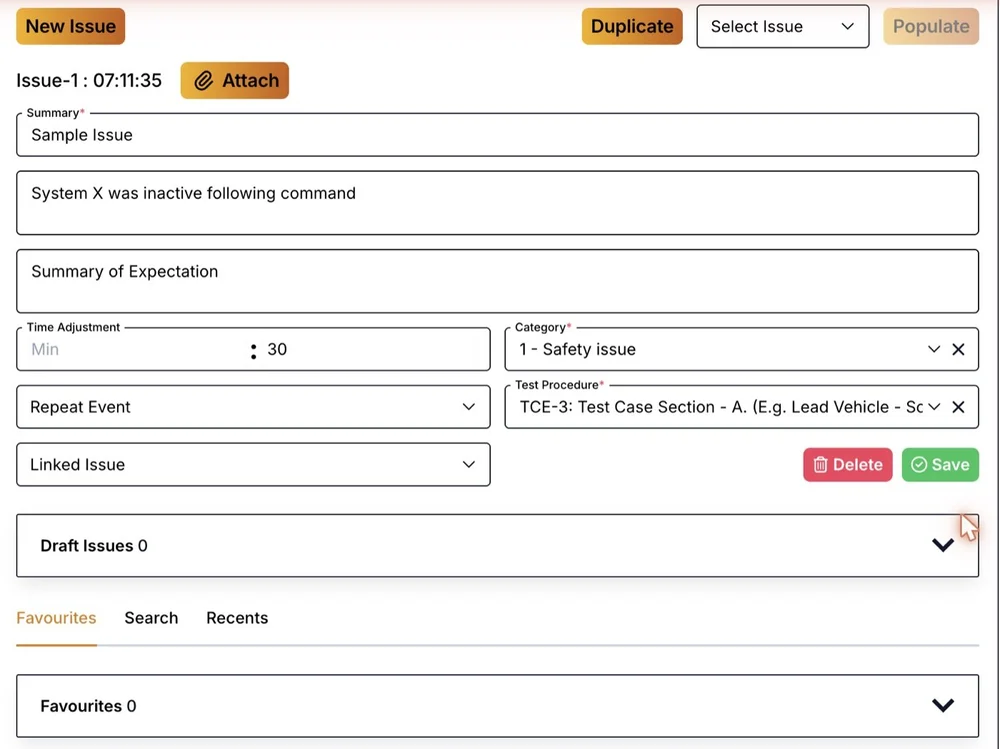
The passenger logs what they saw against the test case that failed.
A passenger usually notices a fault a few seconds after it happens, so the time adjustment moves the data window back by the same amount. A fault the car has already shown can be marked as a repeat or a duplicate in one tap.
The engineer opens the ticket on the seconds that matter.
The ticket names the test procedure and case, then shows a window of bus data with the signals the engineer chooses, the camera frames from the same seconds and the car's position. If the cause sits earlier, the engineer widens the window.
Triaged issues go into the tracker your engineers already use.
Issues are raised and triaged in Hive with their data attached, then exported to the tool your engineers already work in, so nobody keeps a second tracker.
Illustration. Issues and IDs are examples.
How many open issues, and how many are repeats?
The analytics answer the first gate-review question from the issues the passengers raised: first seen against repeats, issues by ECU, procedures executed, and test time and mileage per vehicle. Every count is made of tickets that already hold their data.
Fits your test environment
Hive works with the tools your fleet already runs.
Your loggers
Hive works over the loggers already fitted to your test fleet. It adds the link between a passenger's note and the logged data, and the logging stays as it is.
Your DBC files
Hand us the DBC files for the networks you log. Hive works from the network definitions your team already maintains.
Your issue tracker
Issues are raised and triaged in Hive with their data attached, then exported to the tracker your engineers already work in.