
The toolset
From the test plan to the closed issue.
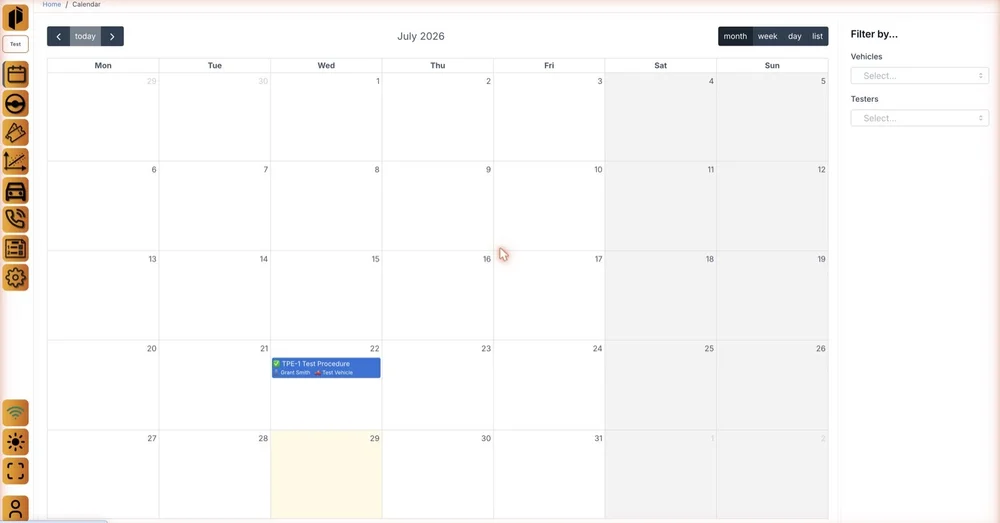
Book the fleet
Book vehicles, drivers, passengers and test procedures against a calendar, with each car's configuration recorded alongside.
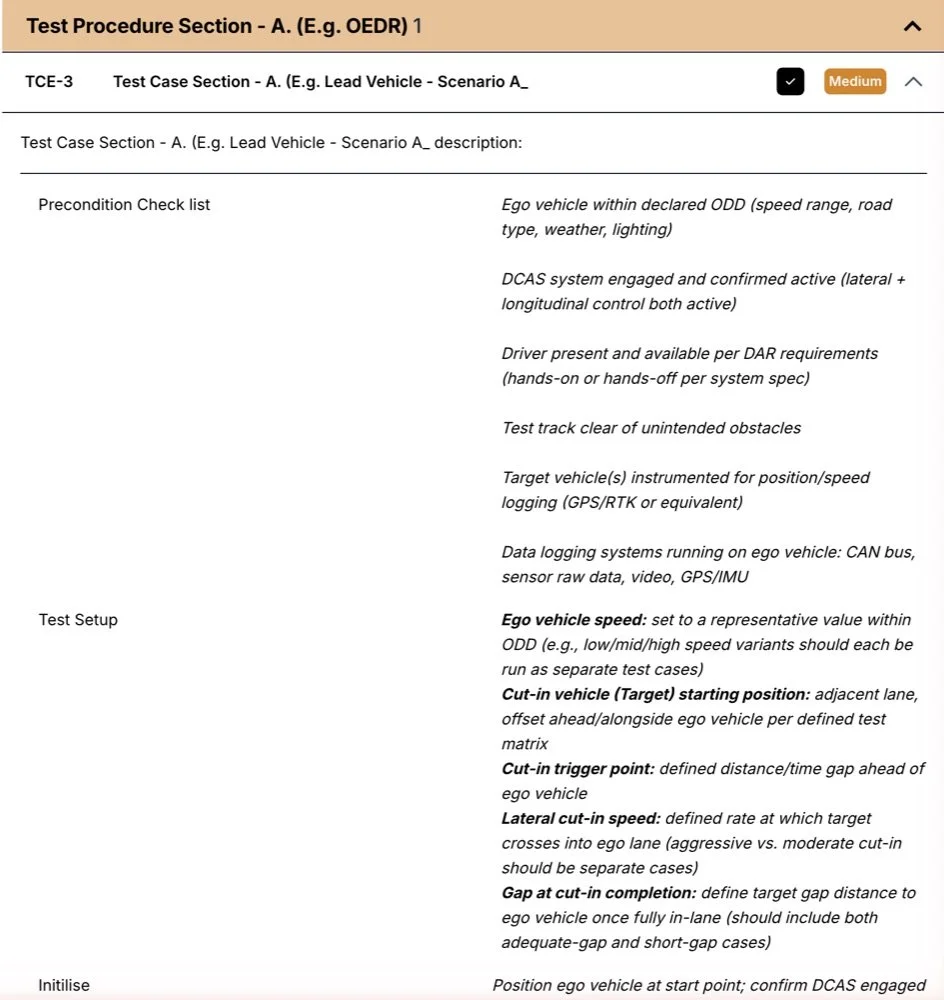
Write the procedure first
Author test procedures as sections and test cases, with the preconditions and setup each case needs, then prioritise them and track their status.
Raise the issue on the move
The passenger sees the procedure while the car is moving and logs an issue against the case that failed. The time adjustment moves the data window back to when the car showed the fault, and a repeat or duplicate is marked in one tap.
Illustration of the passenger screen.
Answer the gate-review question from the same records
Analytics count issues first seen against repeats, issues by ECU, procedures executed, and test time and mileage per vehicle. Each count is made of tickets that are already linked to their data.
Open the ticket on the evidence
Each ticket opens on a window of bus data with the signals the engineer chooses, the camera frames from the same seconds and the car's position. Issues are triaged, assigned and closed, then exported to the tracker your engineers already use.
Analysis the fleet does not have to run separately
Every channel is stored per drive and synchronised, so the data behind the tickets also supports energy flow from source to wheel, operating points plotted over inverter and motor efficiency maps, and anomaly flags that point engineers at trips nobody reported.
Planner and procedure screens are from the Hive demo environment. The passenger screen and chart are illustrations.